


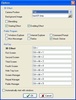
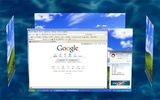
If you liked the cube effect offered by Yodm 3D, you'll also like Shock 4Way 3D because it offers you other way of having 4 virtual desktops.
It offers you 3 new points of view for your desktop. By using Shock 4Way 3D you'll see the main desktop in the front side and the other 3 virtual desktop located on both sides and backwards, as you can see in the different screenshots. Rotate them and choose the one you need. You can choose the background appearing when rotating the virtual desktops.
Shock 4Way 3D takes advantage of OpenGL technology to render the animation.
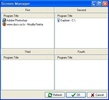
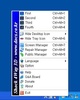
Furthermore, Shock 4Way 3D includes a full featured contextual menu which can be accessed from the system tray. The tool called 'Screen Manager' will let you see all the applications opened in all 4 virtual desktops.
Shock 4Way 3D is maybe the best Windows Application which simulates the Beryl effect and it's totally free.


 2 reviews
















Comments
does windows 7 basic supports this software??? :/ .... i was disappointed it didn't worked in my lappy :(